In this post I will show you how to pass data to views in laravel.This post is going to be a bridge between the route post and views.We will see how to pass data from routes.php file to views.
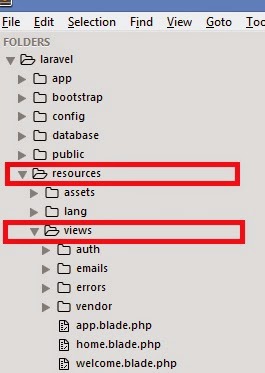
To get started lets open up the text editor and open routes.php and fruits.blade.php file( We created this file in the last post)
We will make some modifications in routes.php so that it is able to pass data to views/fruits.blade.php
There are two ways for passing data to views from routes
First one is like this
To get started lets open up the text editor and open routes.php and fruits.blade.php file( We created this file in the last post)
We will make some modifications in routes.php so that it is able to pass data to views/fruits.blade.php
There are two ways for passing data to views from routes
First one is like this
1 2 3 4 | Route::get('fruits',function(){ $fruitname = "Apple"; return View::make('fruits')->with('var',$fruitname); }); |
here we made use of with method to pass the variable.with() method takes 2 arguments,First one is the string and the second one is the variable.The string defines how you want your variable to be called in the view.In our example we have called it as var.Thus we can access the var value in views
Save the routes.php file.Open the fruits.blade.php and type in the following script
fruits.blade.php
1 2 3 4 5 6 7 8 9 | <!DOCTYPE html> <html> <head> <title>Fruits page</title> </head> <body> {{ $var }} </body> </html> |
Save the file and open you browser and browse to localhost/laravel/public/fruits you should get the following output.

Second way of passing the data
In this method we can pass the variable as an array without using the with() method.We can pass value as an array using key value pair.
1 2 3 4 | Route::get('fruits',function(){ $fruitname = "Apple"; return View::make('fruits', array('var' => $fruitname)); }); |
The fruits.blade.php page remains the same and the out put too.
We can also pass multiple values using array method by adding key value pairs like
1 2 3 4 | Route::get('fruits',function(){ $fruitname = "Apple"; return View::make('fruits', array('var' => $fruitname,'var2'=>$somevariable,'var3'=>$someothervariable); }); |
And access the value of variable in the view using key.
with() method can also be used to send multiple values
1 2 3 4 | Route::get('fruits',function(){ $fruitname = "Apple"; return View::make('fruits')->with('var',$fruitname)->with('var1',$somevariable)->with('var2',$someothervariable) }); |
Accessed in the same way in views.
Next post will be about sending data using magic methods.